Adooar
An Arabic-first restaurant platform connecting POS, kitchens, inventory, delivery and cash collection, with offline-capable POS flows and package-dependent extensions.
About the project.
Adooar is a restaurant, café and hospitality operating ecosystem: a standalone POS client for phones, tablets and desktop devices; cashier, waiter, kitchen, rider and guest interfaces; and inventory, branch, cash-register and hotel management. The work combines TableTrack and module customisation, Arabic UX and integrations, a Flutter client, an additional React workspace and a local Expo mobile development branch. This case study explains the interfaces, modules and workflows individually. Availability depends on enabled modules, permissions and each client’s implementation stage.
What we walked into.
Restaurant work spans cashiers, kitchens, floor teams, stock and riders. Orders, cash and permissions must stay understandable across branches and unreliable connections.
What we did.
Build on TableTrack and its modules, adapt the brand and Arabic experience, integrate operational workflows, and introduce modern interfaces incrementally while preserving established business-critical controls.
What it became.
A multi-interface ecosystem covering ordering, preparation, collection, inventory and hospitality, with a substantial Flutter client and local order/register workflows for network interruptions. The following sections explain each client’s implemented scope and distinguish local development or incremental activation without assuming complete feature parity.
What was actually broken.
An order crosses multiple teams. Delayed information and delivery collections detached from payment records make a shift difficult to manage. The platform connects selection, preparation, payment and settlement.
The hard surface area.
- 01Maintain POS continuity through connection loss and reconnection.
- 02Align different roles, branches, packages and permissions.
- 03Modernize interfaces without losing existing operations.
- 04Describe each client's implementation maturity accurately.
What the project includes
Who uses the platform?
Waiter workspace: tables, orders and response
Waiters use permission-scoped floor and POS interfaces with assigned tables and order context. Order acceptance, rejection and response-state actions sit alongside waiter-call requests. This organizes service responsibility within the platform; it does not imply a separate published native waiter app.
Cashier workspace: selling, collection and handover
Cashiers build orders, edit options, submit preparation, collect payment and print documents. Their work connects to an opened, reviewed and closed register session. Web and Flutter clients expose the supported workflows within permissions and module availability rather than giving checkout staff full platform administration.
Kitchen workspace: preparation instead of billing
Kitchen staff focus on tickets, item quantities, notes and preparation state, with configured production locations and printer routing. Their workspace presents what is needed to prepare the order and report progress while payment and customer administration remain in other operational views.
Rider portal: dedicated login, orders and cash settlement
A dedicated web portal uses OTP login and provides a dashboard, assigned orders, order details, history, profile and COD settlement. Riders receive a focused workspace separate from menu and inventory administration.
Adooar POS application
One application for the floor team and its devices
A dedicated Flutter application adapts to phones, tablets and desktops. Waiters work with tables and orders, cashiers handle payment and the register, and managers reach reports and settings according to their permissions. Role-specific access keeps routine service inside the operational app.
Restaurant and branch connection
Initial setup connects the terminal to the restaurant domain before login. Restaurant configuration, currencies, languages and accessible branches come from the system; branch switching follows permission rules. This keeps the terminal aligned with its actual business context.
Touch-first sales and parallel carts
The sales workspace combines menus, categories, product search, prices and availability. Staff can switch between several carts, such as a table order and a takeaway order, while retaining items, quantities and notes. Order type and guest count establish the context before submission.
Variations, modifiers and preparation notes
Items can carry variations and modifier groups with their own prices and configured selection limits. Staff adjust quantity and preparation notes before submitting the order, keeping the customer’s choices attached to the item that the kitchen prepares.
Transparent totals and discounts
The cart separates item subtotal, discount, taxes and applicable delivery charges before showing the grand total. Fixed and percentage discounts update the displayed calculation under the input rules, allowing the cashier to review the components before collecting payment.
Kitchen tickets and item progress
The app creates KOTs linked to an order and retrieves their details and states. Ticket-level and item-level status operations, cancellation reasons and reprinting support the preparation workflow separately from customer settlement.
Floor and table operations
The table view distinguishes free, occupied, reserved and locked tables, groups them by section and supports search and alternative layouts. Staff can start or open an order, transfer it to another table, print its bill and release a table hold when the state and permissions allow it.
Order history by source, type and date
Orders can be filtered by source, service type, date range and search. Each entry carries its status, amount and table or customer context, with refresh and further results as needed. This separates preparation work from unpaid or completed transactions.
Full order record and state-aware actions
Order details bring together customer information, items, modifiers, totals, paid and remaining amounts, and kitchen tickets. Payment, printing, status updates and allowed item edits sit alongside permission-gated cancellation or refund recording. Recording a refund state does not itself imply an automatic bank transfer.
Partial and split settlement
The payment interface shows due, paid and remaining amounts and uses the system’s configured methods. The order flow supports partial settlements, split payment and item-specific allocation, alongside tips. Each payment remains attached to its order when a group splits a bill or pays in stages.
Register opening and shift cash movement
A register session starts with an opening float and records cash-in, cash-out and safe-drop movements with notes. Session totals distinguish cash sales from other movements and show the running balance, subject to module availability and permissions.
Denomination counting and register close
Closing compares expected cash with a denomination-based count. Staff enter quantities for each denomination, review the counted total and discrepancy, and retain a closing note. The manager can inspect overages or shortages with an explicit counting basis.
Offline orders and register continuity
SQLite stores orders, register sessions and movements locally. A persistent action queue keeps status, retry attempts and dependencies for order creation and updates, KOT submission, payment, register open/close and cash movements. Supported actions synchronize when connectivity returns; this does not extend offline capability to every web module.
Live operations and visible connection state
Real-time channels update operational data with a fallback path when connectivity is unavailable. Connection and synchronization state remain visible, while notifications include unread tracking, linked records and sound feedback so staff can distinguish live information from local state.
Reservations at the terminal
Reservations combine date, status, party size, customer and table information. Authorized staff create or edit bookings, update their state, assign a table and record special requests, connecting guest arrivals with floor operations.
Customer lookup and service-time creation
A searchable customer directory supports authorized customer creation and association with an order. Customer addresses are available to the delivery workflow, reducing repeated entry and preserving customer context on the sale.
Staff directory and operational menu catalog
The staff directory exposes team roles, contact information and delivery flags; the menu catalog shows categories, prices, availability and option badges. These are read-focused operational views. Account administration and full catalog editing remain in the web dashboard.
In-app reporting and comparison periods
The report screen derives sales, payment and order indicators from the retrieved period and compares a preceding window. Compact trends, an hour-of-day activity map, leading item revenue shares and a transaction table support operational review from the terminal, within the data fetched for that period.
Local network, Bluetooth and system printing
Built-in services discover network printers, connect to BLE thermal printers and use system printers. Configuration supports printer selection, defaults, document roles and test output. Hardware support depends on the device, permissions and printer, while printing remains an in-app workflow.
Localized receipt, bill and kitchen output
Business identity, logo, tax information, receipt header/footer and visible fields can be configured. Customer receipts, pre-payment bills and kitchen tickets have purpose-specific content and localized labels, including Arabic rendering, separating preparation instructions from financial output.
Terminal approval and permission controls
In multi-POS environments, terminals register with a recognizable name and branch association and expose pending, active or declined status. User and device permissions control operations, while setup checks surface missing prerequisites before service starts.
Arabic support and adaptive workspace
Arabic RTL and English are supported alongside light, dark and system appearance. Layouts adapt to phones, tablets and desktops; larger workspaces use tabs and panels to move between orders and tables without discarding context.
Additional applications and interfaces
Local Expo mobile development branch
The project also contains a separate React Native and Expo local application covering sales, barcode scanning, parked orders, customers, inventory, taxes, split payment and shift closure using Realm storage. This is a development branch, not a verified store release or proof of server-feature parity.
Installable customer web experience
The customer-facing site supplies a restaurant-specific PWA manifest with its name, icon and theme color and can open in standalone mode on supported devices. It retains the restaurant’s web ordering routes while offering home-screen access without implying a separate app-store release per restaurant.
Sales, menu and dining room
From order entry to a closed bill
The cashier chooses dine-in, pickup or delivery, adds items and associates the order with a customer, table and waiter. Preparation details move to the kitchen while the order remains available for follow-up through payment and closure. This connects the requested items, preparation work and collected amount in one operational record instead of re-entering the order in each department.
Menus, categories and item ordering
Managers maintain menus, categories and items with images, translated names and display ordering. Item variations and options keep the catalogue understandable for both cashiers and guests without relying on confusing duplicates. Sorting controls let the menu reflect the restaurant's service sequence rather than the order in which records were created.
Import, export and branch menu copying
Bulk item import, menu-data export, supported presentation downloads and branch-copy tools support large catalogue updates and new-branch setup. They reduce repetitive item-by-item entry while keeping the operation within the relevant branch and permission context. The source also includes signed menu-PDF download links for email delivery.
Pricing by sales channel
Prices can vary by order type and delivery platform, with custom order types available. A restaurant can represent the different economics of dine-in and external channels while retaining the channel in order records and reports. Configuring a platform name and price does not, by itself, establish a live connection to that external platform.
Modifiers, variations, notes and allergens
Staff choose item variations and modifier groups and enter preparation notes, with tips and additional charges represented separately in the sales flow. Allergen and dietary-label settings support clearer product information across the supported ordering interfaces. The purpose is to carry the same item choices to the kitchen and guest before confirmation.
Taxes, charges and receipt configuration
Dedicated settings manage taxes, charges and receipt presentation, while the order flow calculates the bill summary. Printing, PDF bills and split-payment receipts support both service and record keeping. Management configures the billing policy and cashiers apply it during ordinary checkout, giving customers a clearer breakdown of the total.
Split payments and outstanding balances
Collection workflows support split payments, paid and remaining balances, and later settlement of outstanding amounts. Separate receipts and due-payment reports make the process traceable beyond the payment button. This matters when a bill is settled in stages and management needs to distinguish the sale date from the date cash was actually received.
Refunds, cancellations and change visibility
Configurable refund and cancellation reasons, refund forms, and reports for cancelled or deleted orders and removed kitchen-ticket items help explain changes. Managers can review these exceptional cases rather than treating an item disappearing from a screen as an ordinary sale. The records support investigation of differences between the original order and final sales.
Areas, tables and waiter assignment
Dining areas and tables carry seating and status information, with tools to assign or change the responsible waiter. Orders retain their table context and waiter-call requests can be reviewed. This helps staff understand who serves each table and which guest requests still need attention during a shift.
Table reservations and booking schedules
Reservations have management screens and create/edit forms, while guests can request a booking and review their bookings on the restaurant site. Management configures reservation settings and days, and today's bookings appear in operational views. Connecting the booking with dining-room operations helps the team prepare instead of managing every reservation in an isolated conversation.
Kitchen and daily operations
Kitchen tickets and preparation stages
Kitchen order tickets present items, quantities and preparation notes with workflow states. The sales order supports billing and customer service; the ticket supports meal preparation. Change and cancellation visibility helps the kitchen reconcile what it is preparing with the current commercial order.
Multiple kitchens and printer routing
The kitchen module defines multiple preparation locations, item assignments and printers, including checks for unassigned items. Configuration can separate beverage preparation from food production, for example. Routing sends the relevant part of an order to its preparation location instead of giving every department the entire workload.
Offline POS workflows
Supported POS order and payment workflows use local persistence and queued operations, with connection indicators, reconnection sync and pending-work warnings. This lets the supported local client flows continue through a network interruption. Coverage differs between the web implementation and Flutter client; it does not imply that every hotel or administration module works offline.
Opening hours, operational shifts and availability
Branch settings define opening hours and operational shifts, alongside order-acceptance status and configured automatic availability. The customer site and staff workflows can reflect when the branch serves orders. This turns opening status into an operational rule instead of relying entirely on repeated manual changes.
POS terminal registration and approval
MultiPOS supports terminal registration, pending approval, activation or disabling, branch device limits, and device-linked orders and sessions. Per-terminal reporting lets management inspect each checkout rather than seeing all cashiers as one undifferentiated total. The device becomes an identifiable part of the operating workflow.
Cash, expenses and reports
Register opening, closing and approvals
The cash-register module connects the cashier session, opening balance, movements and closing with separate approval permissions. Comparing expected cash with the counted amount makes a shift handover traceable rather than reducing closing to logging out of the application.
X/Z reports, cash movements and discrepancies
Printable X and Z reports are complemented by discrepancy, cash-ledger, cash-in/out and session-summary exports. Management can inspect money movement separately from order volume and trace differences to the relevant session or terminal. Browser and thermal-report paths support the working environment at the till.
Expenses, categories and recurring expenses
Expenses are organised by category with editing forms, recurring-expense workflows, detailed reports and summaries. This adds operating expenditure to daily oversight rather than focusing only on sales. Managers can review spending by category and period and inspect the available transaction details.
Sales, order, item and category reports
Distinct reports answer different questions: what sold during a period, which items contributed revenue, and how sales were distributed across categories and orders. Date controls and screen-specific filters work within access permissions. Daily overview, weekly sales, table earnings and payment-method summaries add operational context.
Exception, collection and channel reporting
Tax, refund, cancellation, deleted-order and removed-kitchen-item reports sit alongside outstanding-payment, later-collection, delivery-platform and COD reports. Each explains a different reason why sales and cash receipts may differ. Management can investigate exceptions instead of hiding them inside a single total.
Inventory, purchasing and production
Inventory items, units, categories and import
Inventory starts with materials, units and categories, supported by create/edit forms, bulk import and a sample import file. Materials are distinct from menu items: they participate in purchasing, consumption and recipes, while menu items are sold to guests. This separation makes quantities and costs easier to understand.
Suppliers, purchase orders and receiving
Supplier records and purchase orders have creation, detail, receiving and PDF-document flows. Staff can compare what was ordered with what was received and track the payment information supported by the purchasing workflow. Receiving against a purchase order provides a traceable source for stock rather than an unexplained quantity increase.
Stock balances, movements and branch transfers
Stock balances are accompanied by movement records, stock-entry forms, movement inspection and export, plus branch-transfer workflows. The system therefore explains how a balance changed instead of showing only the current quantity. Branch context remains part of the operational record.
Recipes for menu items and modifiers
Recipes connect sellable items and supported modifier choices with ingredient quantities. A meal sale can therefore be related to material consumption and cost rather than leaving purchasing and menu sales in separate records. Recipe maintenance is an operational input, not a one-off description of a dish.
Batch production and prepared inventory
Batch recipes, production forms and batch inventory support advance preparation. Staff record a prepared quantity and follow its consumption instead of treating every use solely as unrelated raw ingredients. Production and consumption reports explain how prepared stock moves over time.
Expiry, waste and expected versus actual use
Waste and expiry reporting, together with expected-versus-actual batch consumption, highlights differences that sales volume alone cannot explain. Preparation loss and expired stock can be investigated in the operating records. These are review tools rather than a claim that software automatically eliminates waste.
Cost of goods, turnover and inventory planning
Usage, turnover, forecasting, cost-of-goods, profit-and-loss and purchase-order reports complement batch cost reporting. Together they help explain where inventory is consumed and how purchasing relates to sales. Forecasting is a reporting capability within the module, not a promise of guaranteed predictions or an autonomous AI system.
Guests, delivery and loyalty
Restaurant storefront and table QR ordering
The guest-facing restaurant site supports menu browsing, order-type choice and cart building, with table-QR entry and account, order, booking and address pages. Branch selection is part of the experience, and branding and subdomain settings personalise the site. The menu becomes an ordering channel connected to operations.
Customer account and restaurant history
Customers can revisit orders, bookings, saved addresses and profile information rather than repeating the same details on every visit. Staff-side customer management and order history provide the service team with context. The ongoing relationship remains separate from the current cart.
Delivery radius, distance fees and estimated time
Each branch configures its delivery radius, distance unit and service schedule. Fees may be fixed, tiered by distance or distance-based, with free-delivery thresholds based on order value or proximity. Speed and buffer settings support estimated arrival time, using the branch location as the delivery origin.
Delivery assignment and rider follow-up
Delivery staff records, assignment and delivery status connect to a dedicated rider portal containing assigned orders, order details, history and profile. Location and status follow-up depend on the enabled workflows.
Cash on delivery and rider settlement
Delivery does not end when an order is marked delivered. Cash collection, the rider's cash responsibility, settlement screens and COD reports distinguish money paid by a customer to a rider from money actually returned to the restaurant. This makes the handover of collected cash an explicit operating step.
Loyalty earning and redemption
The loyalty module provides customer points with earning and POS redemption, a customer loyalty account and reporting by the available period and branch controls. It connects repeat visits with the customer's history while keeping reward points conceptually distinct from cash paid on a bill.
Order notifications, push, WhatsApp and SMS
Order-notification controls and web-push subscription sit alongside event-driven WhatsApp and SMS modules. Management configures available channels and providers, so messaging availability depends on activation and subscription. Notifications bring operational events to the relevant person instead of requiring repeated manual screen checks.
Loyalty tiers and earning multipliers
Loyalty tiers define point ranges, ordering and activation with earning and redemption multipliers. Restaurants can configure differentiated reward levels rather than one rule for every guest, associating the account with the eligible tier.
Stamp cards and item rewards
Stamp rules associate selected items with a required stamp count and a configured reward, including a reward item or variation. Customer stamp balances, transactions and performance reports support repeat-purchase programs alongside ordinary points rather than reducing loyalty to a general discount.
Points ledger, redemption and reward liability
Loyalty reporting covers the points ledger, redemptions, stamp performance and outstanding loyalty liability as well as an overview. Managers can examine how rewards were earned, used and retained instead of granting benefits without a traceable account.
Hotel and hospitality management
Front desk, arrivals, departures and in-house stays
The hotel module extends well beyond room-service ordering. Reception staff start with a dashboard and arrival, departure and in-house lists before moving into booking or check-in/out workflows. Separating these situations clarifies today's work instead of requiring staff to search through every reservation.
Rooms, room types, status board and rate plans
Rooms, room types, a dedicated status board and rate plans connect each physical room with its characteristics, pricing and operating state. The hotel is therefore represented as more than a list of room names. Supported room-context workflows can also initiate guest check-in from the relevant room.
Availability, reservations and booking receipts
Availability checking precedes reservation creation, with reservation editing and receipt views available afterward. Reception can relate the requested stay period to room, guest and operating details. A reservation remains distinct from an actual stay, allowing expected arrivals and checked-in guests to be followed separately.
Quotations, confirmation and agreements
Accommodation quotations can be created, edited and viewed through a confirmation screen, while agreements have management and print flows. These tools support coordination before execution, preserving an offer or agreement reference instead of forcing every conversation directly into a final booking.
Guest records and check-in/out
Guest records connect to stays, check-in/out procedures and stay history. Reception reviews the room, guests and stay details within the relevant workflow rather than scattering them across separate notes. The same stay context supports service follow-up and the accommodation account.
Stay folio, charges and payments
A stay folio combines charge lines and payments with descriptions, charge types, collection references and the recording user. Adding a charge or payment updates the account totals. Reception can inspect what was owed and paid before departure within one stay-linked account.
Housekeeping and room preparation tasks
Housekeeping provides task lists and create, edit and completion workflows. Room cleaning and preparation become visible operational work instead of relying solely on verbal readiness checks. Recording completion helps reception coordinate with the service team.
Venues, events and additional services
Banquet functionality manages venues and events with creation and editing forms, complemented by hotel extra-service and tax settings. These are distinct from selling a room. The operating scope therefore includes accommodation, events and related hospitality services.
Room service and restaurant-stay context
Room-service creation and follow-up screens, room-linked ordering routes and POS hotel-context selection connect restaurant service with accommodation. Staff can work with a defined room and stay context instead of relying only on a free-text room number detached from hotel operations.
Administration, AI and integrations
Branches, staff, roles and permissions
Separate branch, staff and role-management screens work with permission-aware navigation and branch context. Management can distribute responsibilities across cashiers, waiters, kitchen staff and administrators instead of giving everyone identical access. Available modules also depend on restaurant activation.
AI assistant grounded in operational data
The AI module combines saved conversations with tools for sales, orders, top items, categories, taxes, refunds, cancellations, reservations, kitchen-ticket delays, inventory use and delivery reports. Managers can ask natural-language questions and receive responses informed by available restaurant-scoped data tools. This is query and interpretation assistance, not a claim of autonomous restaurant management or unrestricted record editing.
AI access and usage controls
AI policy covers activation, allowed roles, monthly usage limits and conversation usage tracking. Management can expose assistance within defined subscription and permission boundaries rather than making model access unlimited for every user. Operation depends on provider configuration and module availability.
REST API integration surface
The REST API covers configuration, permissions, printers, customer orders, POS, kitchen tickets, reservations, delivery, notifications, terminals and cash-register operations where enabled. It provides the connection surface for specialised clients within access scope. API availability does not mean every possible external integration has already been delivered.
Webhooks, test delivery and replay
Webhook destinations support testing, delivery inspection and retry or replay, with central routing and package-default controls. External systems can be notified of operating events with a reviewable delivery result. This makes integration behaviour visible rather than relying on an opaque send operation.
Payment providers and collection settings
Payment-provider flows include collection settings, return pages and server notifications for transaction outcomes. Paying for a restaurant order is distinct from paying for the restaurant's platform subscription. The code supports these flows, while each provider requires configuration and availability in the operating country.
Platform administration and restaurant subscriptions
The platform operator has a separate administration layer for restaurants, packages, invoices, subscription payments, offline payment requests and administrator accounts. Restaurant, activity and revenue views support platform oversight. This is the SaaS business-management layer, distinct from day-to-day restaurant operations.
Branding, language, public site and learning centre
Restaurant settings cover branding, appearance, currency, timezone, language, receipts and the customer site, while platform administration manages public-site content and pages. The project also includes a blog and an Arabic learning centre with operational explanations and interface screenshots. These support both product discovery and user onboarding after subscription.
Additional React operations workspace
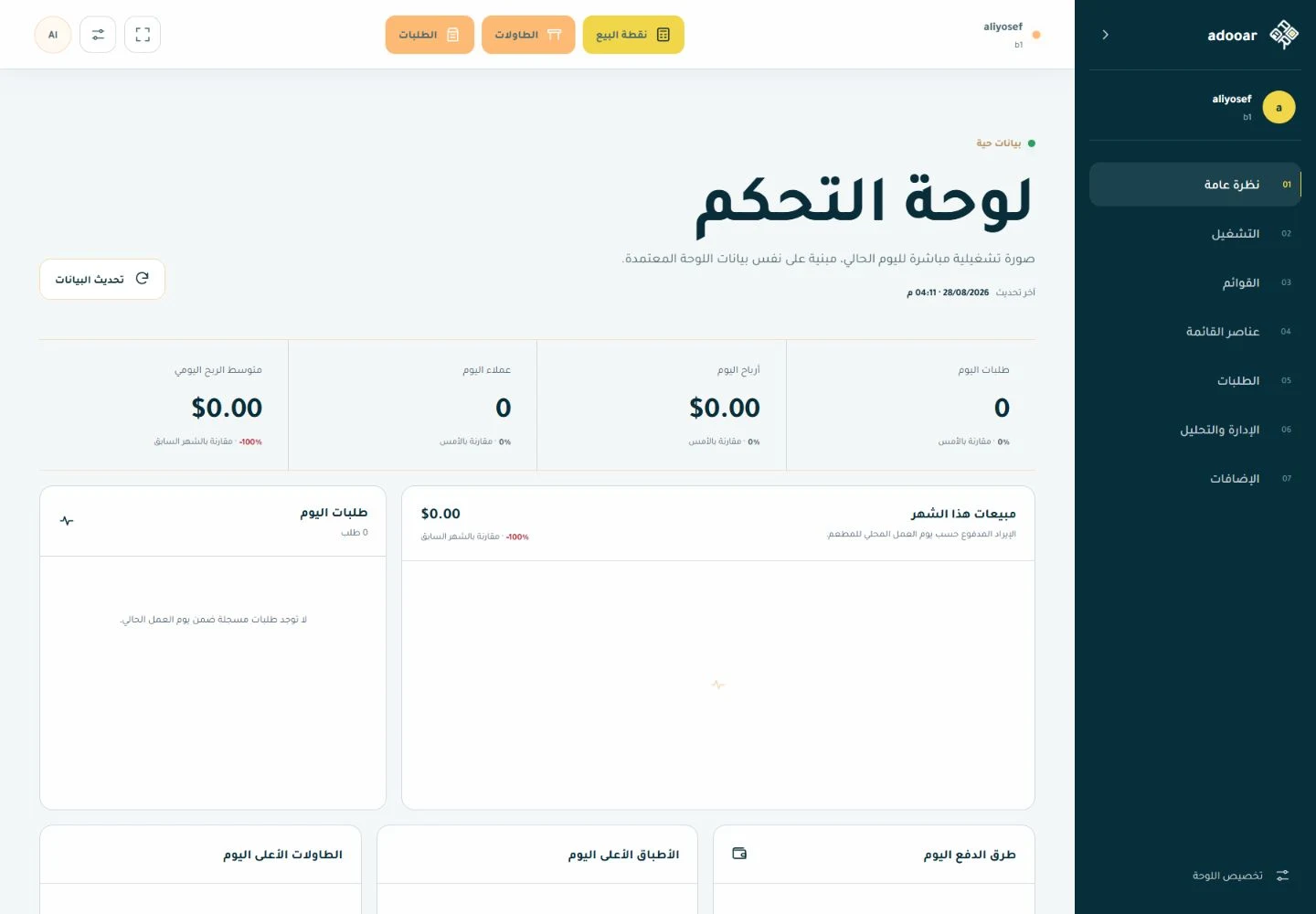
An additional React workspace presents operational overview and reads for orders, menu items, customers and tables, with section organisation, personalisation and permission-aware access. It is an incremental layer: supported reads happen there while write and payment workflows remain in the established operating screens. This preserves continuity while a newer interface is introduced.
Platform-level backup management
The platform operator can manage and download backups, inspect health and synchronize the backup inventory with storage. Settings cover daily, weekly or monthly frequency, retention, included files and modules and storage destination. This is an operator function, not a control exposed to every restaurant employee, and it is not a blanket recovery guarantee.
Self-service and guest displays
Self-service kiosk from welcome to confirmation
The kiosk provides a dedicated self-service sequence: welcome, order type, menu browsing, item customization, cart review, payment-method selection and confirmation. The resulting order joins the restaurant workflow rather than a separate system, letting guests build their own orders while staff receive the same structured details.
Multiple kiosk endpoints and branch context
Administrators create and edit kiosks with a dedicated route for each service endpoint. Restaurant and branch context and package availability govern the experience. This supports multiple self-service locations without treating each screen as a separate app-store application.
Loyalty within kiosk checkout
When enabled, the kiosk links the customer account, loads available points and stamps and applies eligible rewards within the order. The reward discount and collection total are calculated in the same checkout, preserving loyalty benefits when a guest chooses self-service.
Customer-facing checkout display
A dedicated guest display presents cart items, order number, discount, taxes, charges, tip, delivery fee and total, together with transaction state, cash due and a QR image when supplied. Updates from the sales session let the guest review what the cashier entered before payment.
Queue board for preparing and ready orders
The order board separates preparing and ready-for-collection groups using kitchen-ticket state and token or order numbers according to order-type settings. Relevant cancelled and fulfilled states are excluded. It serves guests in the waiting area and is distinct from both the checkout cart display and kitchen workspace.
How the system is wired.
- Server and established interfaces
- Laravel 12, Livewire 3 and Nwidart modules; TableTrack foundation with Adooar customizations.
- Point of sale
- Blade and Vue 3 surfaces with local persistence, queues and synchronization.
- Management workspace
- React 19, TypeScript and Vite; source-backed reads and established write controls.
- Separate application
- Flutter and Riverpod with SQLite/Hive, printing and sync services.
The decisions behind each choice.
Laravel + Livewire
- Preserve a broad existing operational surface.
- Reuse established permissions, modules and routes.
Vue + local persistence
- Support interactive POS workflows.
- Retain queued work during connection loss.
React 19
- Introduce a responsive workspace incrementally.
- Separate presentation changes from payment and operational writes.
Flutter
- Provide a separate POS client with local persistence and printing.
How the platform stays trustworthy.
- Role-, branch- and module-aware access.
- React workspace access requires global activation, package inclusion and authenticated user checks.
- React data clients are read-only; operational writes remain in established controls.
- Integration availability follows setup and permissions.
Built to scale, not just to ship.
The extensibility model is modular and branch/package-aware. No unmeasured throughput or capacity figures are asserted.
- Multiple branches, terminals, kitchens and printers.
- Package-dependent inventory, hospitality, loyalty, kiosk and integration modules.
- Incremental interface upgrades that preserve existing operations.
What the build taught us.
- Incremental modernization requires clear read/write boundaries.
- Offline support should be described by workflow and client.
- An installed add-on is not necessarily enabled for every subscription.
- Separating the commercial foundation from customization makes the case study more accurate.